The Ultimate Guide to Instagram Automation for Salons and Spas (2026)
Step-by-step tutorial for salon and spa owners to automate booking inquiries, send pricing menus, and handle customer questions on Instagram with AI.

Published March 23, 2026
You're in the middle of a balayage. Your phone buzzes. Another DM: "Do you have any openings on Saturday?" You can't reply — your hands are literally covered in hair dye. By the time your appointment ends 2 hours later, that client booked with the salon down the street. Here's how to make sure that never happens again.
What We'll Set Up
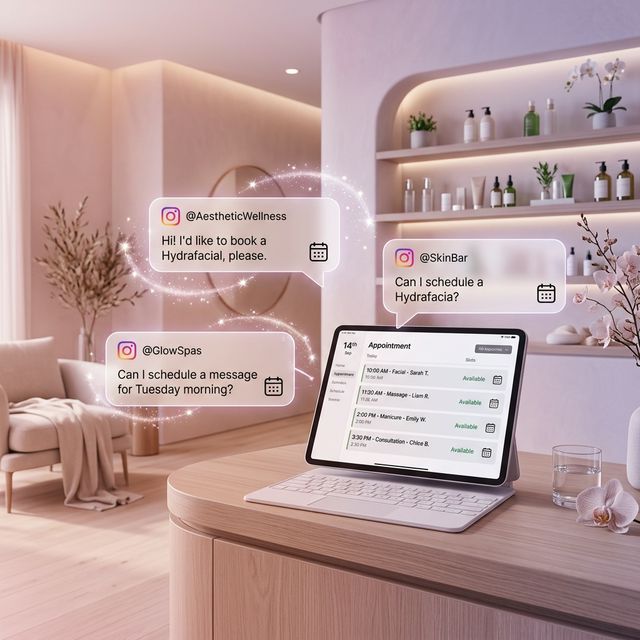
After this tutorial, your salon's Instagram will automatically:
- Send your service menu and pricing when anyone asks
- Direct all booking requests to your online booking system
- Answer common questions (hours, location, parking) via AI
- Handle voice note consultations from clients describing what they want
Step 1: Sign Up and Connect
Create your free Innsty account and connect your salon's Instagram Business account via Accounts → Connect Account.
Step 2: Upload Your Service Menu
Go to "File Manager" in the sidebar. Upload your service menu as a beautiful PDF or image. You can also upload separate images for different services (hair, nails, spa treatments). Innsty supports PNG, JPEG, PDF, and even video files.
Step 3: Create Auto-Reply Rules
Go to your account → "Auto Reply" → "Add Rule" → "Direct Messages".
Rule 1: Pricing & Menu (Copy & Paste Setup)
- Rule Name: Service Menu
- Trigger Type: Contains
- Trigger Keyword: price
- Message 1 (Text): "Hi gorgeous! 💕 Here's our full service menu with all our latest prices:"
- Message 2 (Image or PDF): Select your service menu from File Manager
- Message 3 (Text): "Want to book? 📅 Here's our booking link: [Your Booking Link] Or just tell me what you're looking for and I'll help!"
Tip: Create additional rules with triggers "cost", "menu", "how much" pointing to the same responses for maximum coverage.
Rule 2: Booking Redirect
- Trigger Keyword: book
- Message 1 (Text): "We'd love to see you! 🥰 Book your appointment here: [Your Booking Link]. If you need help choosing a service, just ask — I'm here to help!"
Rule 3: Location & Hours
- Trigger Keyword: where
- Message 1 (Text): "📍 We're located at [Your Address]! Open Mon-Sat 9am-8pm, Sunday 10am-6pm. Free parking available in the back. See you soon! 💅"
Step 4: Set Up AI as Your Virtual Receptionist
For everything that doesn't match a keyword rule, set up AI. Click the "AI" button on your account card.
- Enable "AI Auto-Reply" AND "Voice Transcription" (many beauty clients send voice notes!)
- Use this System Prompt (copy and paste):
"You are the virtual receptionist for [Salon Name], a premium beauty salon. Be warm, friendly, and use beauty-appropriate language. We do NOT book appointments via Instagram DM — always give people our booking link: [Link]. If someone asks about a specific service, give them a brief description and the starting price from the info below. If they ask about availability, tell them to check the booking link for real-time openings. For location questions, we are at [Address], open Mon-Sat 9am-8pm. Keep replies short and sweet with 1-2 emojis."
- In the Knowledge Base, paste: all your services, prices, stylists' specialties, parking info, and any current promotions
- Set Max Response Length to 150 tokens
- Click "Save Settings"
Step 5: Handle Voice Note Consultations
Clients often send voice notes saying things like "I want to go from dark brown to platinum blonde, is that possible in one session?" With Voice Transcription enabled in your AI settings, Innsty automatically converts the voice message to text, and the AI responds with professional advice based on your knowledge base.
Set the Max Audio Duration in the Behavior tab to 120 seconds to handle longer consultation messages.
Bonus: Comment Automation for Before/After Posts
When you post a before/after transformation, people comment "How much?" or "I want this!". Set up a Comment Auto-Reply Rule:
- Trigger: Contains "how much"
- Reply Mode: Both
- Public Reply: "Just sent you the details babe! Check your DMs 💕"
- Private DM: Your service menu + booking link
Stop losing clients to your competition. Set up Innsty for your salon and let your Instagram work as hard as you do.
See our full Instagram automation for salons and spas overview for the complete setup checklist.