How Real Estate Agents in Dubai Can Automate Instagram DMs (Step-by-Step)
A complete step-by-step tutorial for Dubai real estate agents to automate Instagram DMs, capture property leads 24/7, and send brochures instantly using Innsty.

Published March 23, 2026
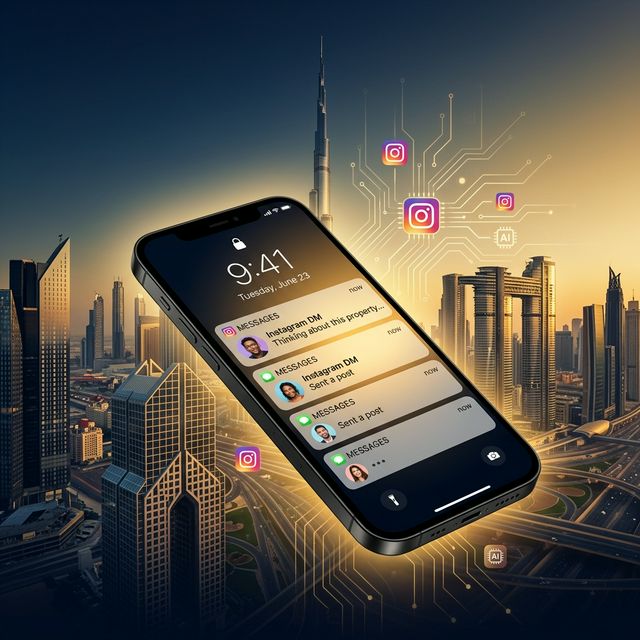
You just posted a stunning reel of an off-plan property in Dubai Marina. Within an hour, 30 people DM you: "Is this available?", "What's the price?", "Can I see the floor plan?". You're in a meeting. By the time you reply 4 hours later, half of them already contacted another agent. Sound familiar? Let's fix this permanently.
What You'll Set Up Today
By the end of this tutorial, your Instagram will automatically:
- Send your property brochure PDF when someone DMs "brochure" or "details"
- Reply to "Price?" comments with a public reply + private DM containing the pricing sheet
- Use AI to pre-qualify leads by asking if they're investors or end-users
- Collect WhatsApp numbers for follow-up — all while you sleep 💤
Step 1: Create Your Free Innsty Account
Go to innsty.com/register and sign up. No credit card needed. Once logged in, you'll land on your Dashboard showing your stats and connected accounts.
Step 2: Connect Your Instagram Business Account
Click "Accounts" in the sidebar, then click "Connect Account". You'll be redirected to Instagram's official login. Log in and authorize Innsty. Your account will appear as a card with your profile picture, follower count, and action buttons.
Important: You need an Instagram Business or Creator account. Personal accounts don't have API access.
Step 3: Set Up Keyword Auto-Reply Rules for Property Inquiries
This is where the magic starts. Click on your connected account, then click the "Auto Reply" button. Click "Add Rule" and select "Direct Messages".
Rule 1: The "Brochure" Auto-Send
- Rule Name: Property Brochure
- Trigger Type: Contains
- Trigger Keyword: brochure
- Message 1 (Text): "Hi! 👋 Thanks for your interest. Here's our latest property catalog with all available units, floor plans, and pricing. Let me know which property catches your eye!"
- Message 2 (PDF): Upload your property brochure PDF via the File Manager
Now whenever anyone DMs you anything containing "brochure", "floor plan", "catalog", they'll instantly receive your PDF. You can add multiple trigger keywords by creating separate rules for each.
Rule 2: The Pricing Auto-Reply
- Trigger Type: Contains
- Trigger Keyword: price
- Message 1 (Text): "Great question! Here's our current pricing sheet 📋"
- Message 2 (Image): Upload a clean pricing infographic
- Message 3 (Text): "Are you looking for investment or a home to live in? 🏠 This helps me recommend the best unit for you 👉"
This sends the price AND asks a qualifying question — automating lead pre-qualification.
Step 4: Set Up AI for Complex Conversations
For questions that don't match a keyword rule, you want AI to take over. Click the "AI" button on your account card.
- Toggle on "AI Auto-Reply"
- Choose your AI model (GPT or Gemini recommended for professional tone)
- Write this System Prompt (copy and paste this):
"You are the virtual assistant for [Your Name], a luxury real estate agent in Dubai. You specialize in off-plan and ready properties in Dubai Marina, Downtown, and JBR. Be professional, warm, and concise. When someone asks about a property, mention the starting price if you know it, and ask: 1) Are they looking for investment or to live in? 2) Their budget range in AED. 3) Their WhatsApp number so you can send them a video tour. Never make up property details you don't know — say the agent will follow up with specifics. Keep replies under 3 sentences."
- In the Knowledge Base, paste your property details: unit types, starting prices, community info, payment plans, handover dates
- Set Max Response Length to 200 tokens (keeps replies concise and professional)
- Set Conversation Memory to 8 messages (so AI remembers what the lead asked earlier)
- Click "Save Settings"
Step 5: Automate Comment Replies on Property Reels
When you post a reel of a luxury villa and people comment "Price?", you want to auto-respond. Go to Auto Reply → Add Rule → Post Comments.
- Trigger: Contains "price"
- Reply Mode: Both (public + private DM)
- Public Reply: "Just sent you the details in your DMs! 📩"
- Private DM: Your pricing sheet + a text asking about their budget
This boosts your post engagement AND moves the lead into a private conversation.
The Result
Your Instagram now works for you 24/7. A prospect DMs at 2 AM about an off-plan unit in Dubai Creek Harbour — they instantly receive the brochure, pricing, and the AI asks qualifying questions. By the time you wake up, you have a pre-qualified lead with their WhatsApp number ready for follow-up.
Start your free trial and turn your Instagram into a lead generation machine.
Not in Dubai? The same playbook works anywhere. See our Instagram automation for real estate overview for the general setup.